
How to Apply for WhatsApp Blue Tick: 2026 Exclusive Guide

Ace runs a thriving e-commerce brand that ships custom jewelry all over India. He’s got a solid product lineup, a strong team, and an engaged social media following.
So, naturally, he decided to use WhatsApp to bring his customers even closer, sending order updates, special offers, and the occasional “Hey, we've got a new design!” nudge.
But despite his best efforts, things didn’t quite go as planned...!
Open rates were disappointing!
Many messages went unread...
A few were marked as spam...
And some customers even blocked the number altogether...!
But Ace’s not alone... According to a 2026 local study, 68% of Indian customers avoid engaging with unknown WhatsApp numbers, and 22% even block them immediately.
As per the 2023 Dazeinfo study, 73% of users block unwanted numbers, 19% ignore them, 5% mute them, and only a fraction of users open unknown messages.
That’s where the WhatsApp Blue Tick steps in!
A verified badge of trust that shows your customers you’re legit, secure, and worth their time.
But how exactly do you get that little badge that makes a big difference?
In this guide, we’ll unpack everything you need to know: from eligibility criteria to step-by-step application processes, pitfalls to avoid, and whether the bluetick is truly worth it for your business.
Ready to turn your WhatsApp into a trusted sales channel?
Let’s get started! 🚀
What is WhatsApp Blue Tick (Formerly GreenTick)?
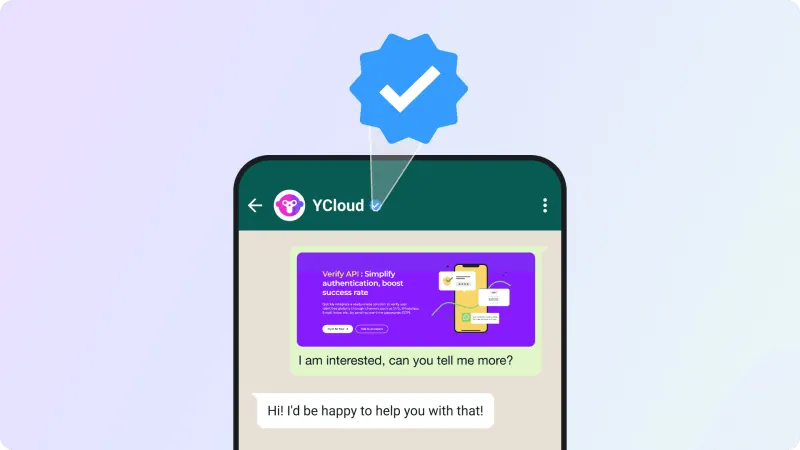
Imagine you’re scrolling through WhatsApp, and you see a shiny little bluetick next to a business name. Feels legit, right? That’s the WhatsApp Blue Tick, Meta’s official stamp of trust that says, “Hey, this business is real, verified, and safe to engage with.”
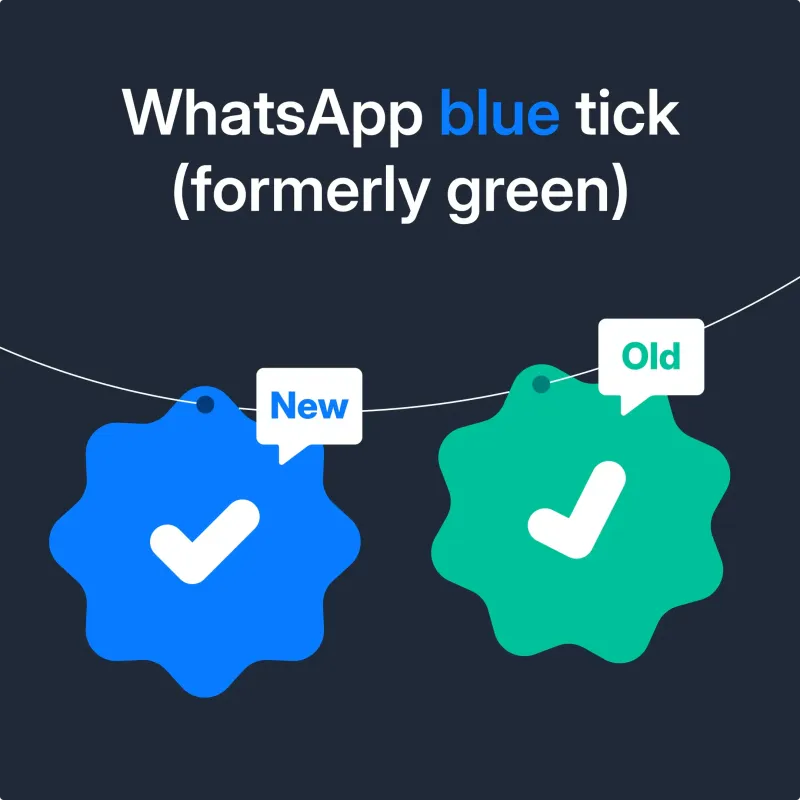
Previously, this badge was green (remember the good old days?), but as of July 2024, Meta shifted to blue, making it more accessible to businesses using both the WhatsApp Business App and API. Now, even smaller businesses can show they’re the real deal, not just big brands with deep pockets.
Why does this matter?
Because in a world of scams and spam, that little tick is a big deal. It builds confidence, boosts engagement, and reassures your customers they’re talking to a legitimate business, yours.
WhatsApp GreenTick v/s BlueTick
| Feature | Green Tick | Blue Tick |
|---|---|---|
| Availability | Only for businesses using the WhatsApp Business API. | Available for both WhatsApp Business App and WhatsApp Business API users. |
| Target Audience | Mostly large enterprises. | Open to small, medium, and large businesses. |
| Purpose | Proves business legitimacy. | Confirms business authenticity and aligns with Meta’s overall brand identity. |
| Brand Consistency | Standalone—green tick only on WhatsApp. | Matches the blue tick across Meta platforms like Facebook and Instagram. |
| Trust Factor | Builds trust but limited to enterprise. | Builds trust for all businesses, increasing customer engagement and confidence. |
| Access to Features | WhatsApp API features only. | Access to WhatsApp API features plus democratized for app users, including automation and templates. |
Why Did Meta Transition from GreenTick to BlueTick?
Meta’s shift from the GreenTick to the BlueTick isn’t just a new coat of paint, it’s a move that’s reshaping trust and credibility across all its platforms.
Here’s why:
✅ Unified Branding Across Platforms
By switching to BlueTick, Meta creates a consistent visual identity across WhatsApp, Facebook, and Instagram. That means users can instantly recognize verified businesses, no matter which app they’re using.
✅ More Accessible for All Businesses
Previously, the GreenTick was limited to businesses using the WhatsApp Business API, a barrier for small and medium-sized players. The BlueTick democratizes verification, making it accessible to everyone from small businesses on the free WhatsApp Business App to larger enterprises.
✅ Stronger Brand Protection
The BlueTick signals that a business has met WhatsApp’s higher verification standards, making it harder for scammers to impersonate legitimate businesses. This builds trust and reduces fraud risks, giving customers confidence that they’re interacting with the real deal.
✅ Enhanced Verification Process
Unlike the Green Tick, which was easier to obtain, the BlueTick requires businesses to provide more thorough documentation and meet stricter criteria. This added layer of verification ensures that only genuine businesses earn the badge, further protecting users from spam and scams.
With BlueTick, Meta is setting a new benchmark for credibility, accessibility, and user trust.
Up next, let’s explore why WhatsApp BlueTick matters for businesses.
Why WhatsApp BlueTick Matters for Businesses?
Let’s face it, today’s customers are picky about who they trust. In an era where scams are a dime a dozen, your brand needs every edge it can get to stand out from the noise. That’s where the WhatsApp BlueTick swoops in to save the day.
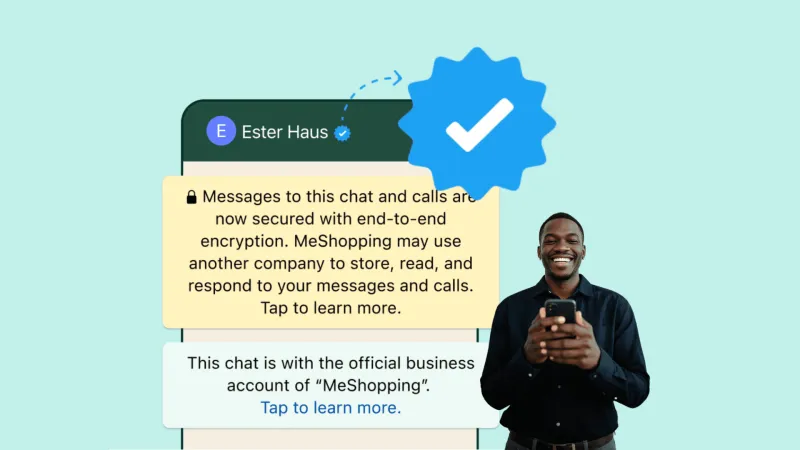
Here’s how it gives your business the credibility it craves:
✅ Instant Trust & Credibility
That blue badge? It tells customers you’re the real deal, not some fly-by-night spammer.
✅ Professional, Polished Image
A verified profile looks sharp and screams authority, giving your brand an immediate edge over the competition.
✅ Higher Engagement, More Conversions
People are far more likely to respond to messages from a verified business, meaning your promotions, updates, and support conversations get the attention they deserve.
✅ Protection Against Fakes & Fraud
The BlueTick helps customers quickly identify your official account, reducing the risk of impersonation and scams.
✅ Brand Consistency Across Meta Platforms
With a BlueTick on WhatsApp, Facebook, and Instagram, your customers get a seamless, consistent brand experience wherever they connect with you.
✅ Better Performance in Ads
Messaging ads from verified accounts get higher click-through and engagement rates, giving your marketing efforts a powerful boost.
So, whether you’re a local bakery or a global retailer, the WhatsApp Blue Tick is more than just a badge, it’s your passport to higher trust, better engagement, and stronger customer relationships.
Up next, let’s see how will this affect businesses with an active GreenTick badge.
How Will This Affect Businesses with an Active Green Tick?
If you’re already rocking that GreenTick on WhatsApp, breathe easy, this transition is as smooth as a Dubai latte.
Meta’s got your back: “If you have a verified badge today, you keep your verified status. No action is required from you.”
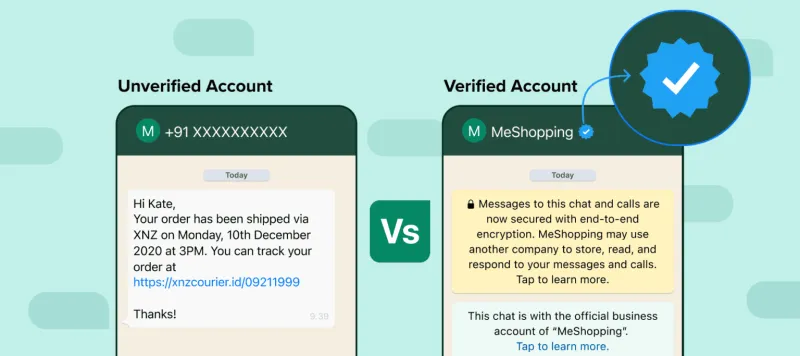
✅ No Additional Steps
Your Green Tick will seamlessly turn into a Blue Tick without you lifting a finger.
✅ No Extra Costs
The upgrade is completely free!
No Hidden Fees... No Surprises!
✅ Same Verification, New Look!
Your business stays verified, but now with a Blue Tick that matches Meta’s branding across platforms.
So, no stress, your verified status is safe, and your customers will see your upgraded BlueTick in all its glory.
Up next, let’s find out whether it’s mandatory to switch from WhatsApp GreenTick to WhatsApp Blue Tick and what that means for your business. 🚀
Is It Mandatory To Change WhatsApp Green Tick To Blue Tick?
Here’s the good news: if your business already flaunts a Green Tick, you don’t need to lift a finger.
Meta’s update ensures that your Green Tick will seamlessly transition into a Blue Tick as the new feature rolls out in your country, no extra paperwork, no hidden fees, no headaches.
But why the change?
✅ Consistency Across Meta Platforms
Meta is all about branding uniformity. The new WhatsApp Blue Tick aligns WhatsApp’s verification with Facebook and Instagram for a smoother, more familiar experience across all channels.
✅ Greater Accessibility
The WhatsApp Green Tick was exclusive to businesses using the WhatsApp Business API, but now, the Blue Tick opens the door to all verified businesses, including those using the WhatsApp Business App.
✅ Added Trust & Credibility
The color blue is synonymous with trust, just think about Facebook and LinkedIn. This small but significant change helps your business appear more legitimate and secure in the eyes of your customers.
So, while the color is changing, the essence of your verified status remains the same, only better!
Up next, let’s see who is eligible to apply for the WhatsApp Blue Tick badge. 🚀
WhatsApp Blue Tick Eligibility Criteria
Thinking about getting that coveted WhatsApp Blue Tick?
Before you jump in, let’s make sure you tick all the right boxes (pun intended!).
✅ Use WhatsApp Business
Your business must use either the WhatsApp Business App or API, no regular personal accounts allowed!
✅ Minimum Age Requirement
You (or your business representative) need to be at least 18 years old to apply.
✅ Complete Profile
A profile name and picture are essential. Think of it as your WhatsApp business ID card, don’t leave it blank!
✅ Recent Activity
Your business account should have recently sent messages. WhatsApp wants to verify active, engaged businesses, not silent ones.
✅ No Active WhatsApp Premium or Meta Verified Subscription
Make sure your business doesn’t have any conflicting active subscriptions.
✅ Country Eligibility
Your business must operate in a country where Meta Verified for WhatsApp is available. As of now, that’s India, Brazil, Colombia, and Indonesia. (More coming soon!)
Pro Tip: Not every business gets verified. Make sure you’re a legitimate business with verifiable credentials, follow WhatsApp’s guidelines, and stay engaged with your audience.
Up next let's explore the list of businesses that can’t apply for WhatsApp Green Tick verification.
Businesses That Can’t Apply for Green Tick Verification
Before you dive headfirst into applying for that shiny WhatsApp Blue Tick, hold up, some businesses just don’t make the cut.
If your business falls into any of these categories, WhatsApp won’t grant you Blue Tick verification:
- Drugs
- Tobacco Items
- Gambling Services
- Alcohol Brands
- Weapons & Ammunition
- Live Animals
- Adult Products/Services
- Medical & Healthcare Products
- Dating Services
- Cryptocurrencies
👉 For the latest details, always refer to WhatsApp’s official Commerce Policy.
Next up, let’s walk you through the step-by-step process of getting that Blue Tick badge. 🚀
How to Get WhatsApp Blue Tick Verification?
So, you’re ready to get that shiny WhatsApp Blue Tick badge and boost your business’s credibility?
Let’s break down the two paths you can take:
1️⃣ How to Get Blue Tick on WhatsApp Business App?
Applying for the WhatsApp Blue Tick via the WhatsApp Business App is fairly simple, but before you dive in, make sure you meet Meta’s eligibility criteria.
Eligibility Checklist:
✅ Be at least 18 years old.
✅ Have an active business profile with a name and picture.
✅ Recently sent a message through the WhatsApp Business App.
✅ Be in a country where Meta Verified is available (India, Brazil, Colombia, Indonesia).
✅ No active WhatsApp Business Premium or Meta Verified subscriptions.
Steps to Apply:
Step 1: Open your WhatsApp Business App and tap “Settings” (or “Business Tools”).
Step 2: Select “Meta Verified.”
Step 3: Pick the subscription plan that fits your needs.
Step 4: Choose a payment method and complete your purchase.
Step 5: Confirm your business account and select “Next.”
Step 6: Choose a verification method and fill in the required details.
Step 7: Submit your application.
Step 8: Tap “Done.”
📝 Heads-Up: Once you apply, your profile details will be locked for 20 days. Any changes during this time will remove the Blue Tick and require re-subscription.
2️⃣ How to Get Blue Tick on WhatsApp Business API?
Applying through the WhatsApp Business API is a bit more complex, but the good news?
It’s free (no subscription required)!
Must-Have Requirements:
✅ Use WhatsApp Business API with an activated account (must be approved via Meta or an official BSP).
✅ Complete Facebook Business Manager verification (Meta business verification).
✅ Enable two-step verification (2FA).
✅ It is recommended to reach Messaging Tier 1 or above (Tier 2 or higher is preferred).
✅ Your brand must be a legally registered business entity (personal accounts are not eligible) with notable brand presence.
✅ Have at least 3-5 or more organically published media articles or PR mentions (paid coverage is not accepted).
✅ Ensure that 2FA is enabled on the WhatsApp Business account.
Steps to Apply:
Step 1: Go to WhatsApp Manager in your Facebook Business Manager. Click on the phone number you want to apply BlueTick for under the "Overview" section.
Step 2: Enable two-step verification for that number.
(If not already set up, make sure to activate it first.)
Step 3: Ensure your business has completed Meta Business Verification and your WhatsApp display name is approved.
(If not done, complete those before proceeding.)
Step 4: Click "Submit Request" and fill in all required details.
Step 5: Add up to 5 organic PR links from trusted sources (like Times of India, Reuters, Wikipedia, etc.) to prove your brand is notable.
Step 6: Provide extra details like your operating country, parent/associated brand, and primary language to help WhatsApp understand your business better.
Step 7: Wait for WhatsApp’s review. You’ll be notified if your account is approved or rejected.
💡 Tip: Double-check everything before hitting submit! If rejected, you can only reapply after 30 days.
Up next, let's explore WhatsApp Blue Tick subscription plans and find out what works best for your business.
WhatsApp Blue Tick Subscription Plans
🔹 WhatsApp Business App (Paid Subscription)
| Plan Name | Best For | Features | Price (₹/Month) | Price (USD/Month) |
|---|---|---|---|---|
| Business Standard | Small businesses wanting basic verification | ✅ Verified badge ✅ Impersonation protection ✅ In-app support ✅ 1 verified channel ✅ Business webpage ✅ Link up to 4 devices | ₹639 | ~$8 |
| Business Plus | Growing businesses needing more channels | ✅ Verified badge ✅ Impersonation protection ✅ Prioritized support ✅ 3 verified channels ✅ Business webpage ✅ Link up to 6 devices | ₹1,399 | ~$18 |
| Business Premium | Larger teams managing multiple accounts | ✅ Verified badge ✅ Impersonation protection ✅ 10 protected accounts ✅ Prioritized support ✅ 5 verified channels ✅ Business webpage ✅ Link up to 8 devices | ₹3,899 | ~$47 |
| Business Max | Enterprises with high-volume interactions | ✅ Verified badge ✅ Impersonation protection ✅ 50 protected accounts ✅ Prioritized support ✅ 10 verified channels ✅ Business webpage ✅ Link up to 10 devices | ₹18,900 | ~$230 |
💡 Note: Prices may vary by region; check the latest pricing on the Meta official site.
WhatsApp Business API Pricing Update: Everything Changes from July 1, 2025
🔹 WhatsApp Business API (Free Verification)
| Plan Name | Best For | Features | Price |
|---|---|---|---|
| API Verification | Enterprises using WhatsApp Business API | ✅ Verified badge ✅ Impersonation protection ✅ Supports advanced messaging ✅ Integration with business platforms ✅ Seamless customer engagement at scale | Free |
💡 Pro Tip: For WhatsApp API users, Blue Tick verification doesn’t require a paid subscription, but you must meet eligibility requirements like API setup, Meta Business Account verification, and brand notability.
Up next let's uncover common mistakes to avoid when applying for WhatsApp Blue Tick verification so that you get approved faster and stress-free!
Common Mistakes to Avoid for WhatsApp Blue Tick Approval
Getting that shiny WhatsApp Blue Tick might seem easy, but a lot of businesses stumble at the application stage. Here’s how to avoid the most common pitfalls that could sabotage your approval:
✅ Inconsistent Business Name
Make sure your business name matches what’s listed on your website, social media, and official documents. Skip the abbreviations, nicknames, or clever spellings, stick with the name your customers know you by.
✅ Ignoring WhatsApp’s Business and Commerce Policies
Don’t skip the fine print! If your business violates any of WhatsApp’s guidelines, your application is likely to get rejected.
✅ Low Business Visibility
If your brand is new or has limited online presence, hold off on applying. Focus on building credibility through an official website, active social media, and even some media coverage first.
✅ Inconsistent Details
Inconsistencies in your name, website, or business details can derail your application. Double-check every detail before hitting submit.
✅ Not Using the Waiting Period Wisely
WhatsApp has a mandatory waiting period before you can reapply for verification. Use this time to fine-tune your application, align with guidelines, and boost your brand’s credibility.
✅ Lack of Clarity on Rejection Reasons
If you’re rejected, don’t guess what went wrong, ask. Reach out to WhatsApp support for feedback, so you can correct mistakes and improve your chances on the next try.
Up next, let's tackle whether investing in the WhatsApp Blue Tick subscription is actually worth it for your business!
Is the WhatsApp Blue Tick Subscription Worth It?
Let’s cut to the chase: it depends on your business goals.
✅ For small to medium-sized businesses, the WhatsApp Blue Tick subscription is a no-brainer. Starting at just ₹639 per month, it instantly boosts your credibility with a verified badge, protects against impersonation, and helps you stand out in crowded inboxes.
✅ For businesses eyeing serious growth, the WhatsApp Business API might be a smarter long-term play. It unlocks powerful features like bulk messaging, automation, chatbot integration, and advanced analytics—ideal for scaling your customer engagement.
💡 Quick tip: If trust, brand image, and direct messaging are your top priorities, the Blue Tick subscription is a solid choice. But if you’re aiming for high-volume messaging, advanced marketing, or cross-channel automation, you’ll want to explore the WhatsApp API route.
Up next let's see what happens if your application for the WhatsApp Blue Tick gets rejected and how you can bounce back!
What if Your Application Gets Rejected?
Rejection isn’t the end, it’s a second chance in disguise. If your WhatsApp Blue Tick application gets rejected, here’s how to bounce back stronger:
🔍 Check WhatsApp’s Feedback
WhatsApp usually provides a reason for rejection. Review it carefully to understand where you fell short, be it inconsistent business details, non-compliance, or lack of online presence.
🛠️ Fix What’s Broken
Update your business profile with consistent information across your website, social media, and official documents. Align your practices with WhatsApp’s Business and Commerce Policies.
📈 Boost Your Credibility
Grow your brand’s visibility through organic media coverage, real articles, blogs, or features in reputable outlets. Avoid relying solely on paid PR.
💬 Increase WhatsApp Activity
Stay active on WhatsApp, respond to customers, build meaningful interactions, and move up the messaging tiers.
📅 Wait and Reapply
WhatsApp requires a 30-day wait period before reapplication. Use this time to polish your business profile and fix any gaps.
🆘 Reach Out to Your BSP or WhatsApp Support (If applied by yourself)
If you're unsure why your WhatsApp Blue Tick application was rejected, reach out to your BSP (e.g., YCloud) if you applied through them. If you applied directly, contact WhatsApp Support for clarification and guidance on the next steps.
✅ Stay Compliant
Make sure your business follows WhatsApp’s rules, no spammy messages, only opt-in communication, and proper privacy practices.
Up next, let's explore the 4 ways to avoid rejection on WhatsApp Blue Tick verification.
4 Ways To Avoid Rejection on WhatsApp Blue Tick Verification
Getting that coveted blue tick on WhatsApp can feel like winning the trust badge lottery. But many businesses trip over small but critical mistakes that derail the process. Here’s how to sidestep those pitfalls and boost your chances of getting verified:
✅ 1. Submit Accurate Documents and Details
Double-check that all documents, business licenses, address proofs, or tax IDs, are valid, current, and consistent with your official business name. Mismatches or missing info can be an instant deal-breaker.
🌐 2. Build a Solid Online Presence
Meta loves visibility. Make sure your business has a healthy footprint online, an SEO-optimized website, active social media profiles, and organic media mentions. This builds credibility and shows you're a serious player.
🚫 3. Choose the Right Business Category
Some business categories, like gambling, tobacco, or adult content, are restricted. If you fall into any of these, your blue tick dreams might hit a wall. Make sure your business aligns with WhatsApp’s approved categories.
📜 4. Follow WhatsApp’s Policies and Regional Guidelines
Compliance is key. Ensure your business adheres to WhatsApp’s Commerce and Business Policies. Double-check regional regulations to avoid running afoul of any country-specific rules.
💡 Pro Tip: Even if your application gets rejected, don’t sweat it! WhatsApp allows you to reapply after 30 days. Use that time to shore up your weak spots and get your business blue tick ready.
Up next, let's explore how you fix the common problems with WhatsApp Blue Tick verification.
How Do You Fix Common Problems with WhatsApp Blue Tick Verification?
So, you’ve applied for the WhatsApp Blue Tick, and now you’re stuck in limbo, or worse, facing unexpected hurdles. Don’t sweat it! Here’s a quick troubleshooting guide to keep your verification journey smooth:
🕒 Verification Delay?
Sometimes, verification takes longer than expected due to high demand.
👉 Solution:
- Stay patient as processing can take time.
- Double-check your business profile for complete and accurate information.
- Make sure you’ve submitted any additional documents if you’re in a regulated industry.
✍️ Wrong Info on Application?
Incorrect details can sink your application.
👉 Solution:
- Review every detail: business name, contact info, website, and branding.
- Fix any inconsistencies before reapplying.
🚫 Your Business Isn’t Eligible?
Not all businesses get the Blue Tick.
👉 Solution:
- Build your online presence to show legitimacy.
- If you’re scaling up, consider moving to WhatsApp Business API for higher chances of approval.
⏳ ‘Under Review’ Status Stuck?
Applications sometimes stay in review longer than expected.
👉 Solution:
- Check your email for updates from WhatsApp.
- Reach out to WhatsApp Business Support if it’s taking too long.
❌ Lost Your Blue Tick?
Losing verification can feel like a punch to the gut.
👉 Solution:
- Ensure you’re following all WhatsApp policies.
- Keep your business operations transparent and consistent to avoid account reviews.
💻 Blue Tick Missing on WhatsApp Web?
Got verified on mobile but not on the web?
👉 Solution:
- Log out and back in.
- Clear your browser cache and refresh.
Up next, let’s talk about getting your WhatsApp Blue Tick badge with YCloud. 🚀
Get Your WhatsApp Blue Tick Verification with YCloud
Ready to build trust and stand out from the competition?
YCloud makes getting that coveted WhatsApp Blue Tick easier than ever, no headaches, no guesswork.
Whether you’re a small business looking to connect with customers or a large enterprise aiming to scale conversations, YCloud’s official WhatsApp API solution helps you tick all the right boxes, literally.
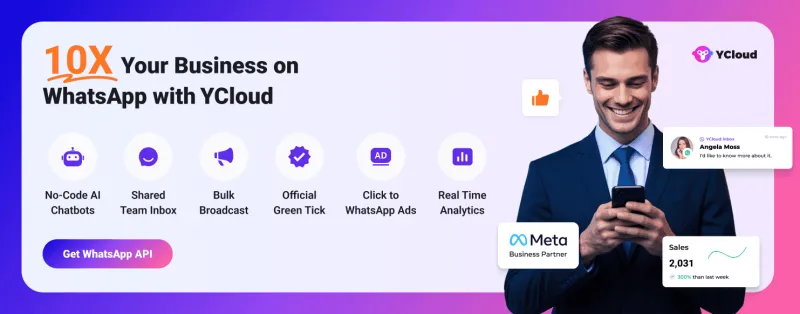
✅ Verified Business Status: Boost your brand credibility with a verified badge that shows your customers you’re legit.
✅ Streamlined Process: Forget the red tape. YCloud guides you through every step, eligibility, documents, even WhatsApp’s secret handshake (kidding, but you get the point).
✅ All-in-One WhatsApp Automation: From sending personalized messages to managing customer support, YCloud’s got your back with a powerful, user-friendly platform.
Don’t leave your WhatsApp marketing to chance. Partner with YCloud and get that Blue Tick that says, “Hey, we mean business.”
Up next let's discover how to use WhatsApp APIs without the Blue Tick.
Using WhatsApp APIs Without That Little WhatsApp Blue Tick Badge
Don’t have the WhatsApp Blue Tick yet? No worries! The WhatsApp Business API still packs a punch without needing that verified badge.
With or without the blue tick, you can still:
✅ Automate Customer Support
Streamline responses and reduce wait times with AI-powered chatbots and predefined messages.
✅ Send Transactional and Promotional Messages
Keep your customers informed with order updates, shipping alerts, and timely promotions, right where they’re most active.
✅ Integrate with CRMs and Tools
Connect WhatsApp with your existing systems to manage conversations at scale, ensuring seamless communication across teams.
Please Note: The blue tick enhances credibility, but it’s not a gatekeeper. WhatsApp APIs remain a powerful tool to engage customers, build trust, and drive results.
Wrapping Up!
There you have it, everything you need to know about getting that coveted WhatsApp Blue Tick. Whether you’re a small business or an enterprise, the WhatsApp Blue Tick boosts your credibility and trust.
Ready to stand out from the crowd and build real connections with your customers? Let’s get that badge and start winning trust, one message at a time.
Related Articles

Make your business communications much easier!


Trusted by